DMX I/O: a simple DMX lighting console for macOS
DMX I/O is a simple app for macOS to send/receive DMX values written in SwiftUI.
Main features:
- Native macOS app.
- Can be externaly controlled via MIDI or OSC
- You can easily store and retrieve stage looks in presets and scenes (cues)
- Quick workflow with command interface. Example command:
100 Thru 110to quickly select fixtures in a range. - Provides direct control of DMX channels in user friendly interface. Ideal for debugging, testing, experimenting with DMX. or other situations where low level control without the abstraction of a full console is needed.
Supported lighting control output:
- Art-Net, sACN, up to 4 universes. Compatible with any Art-Net node connected to your Mac.
- Enttec USB PRO and Open DMX devices, 1 universe.
Screenshot:
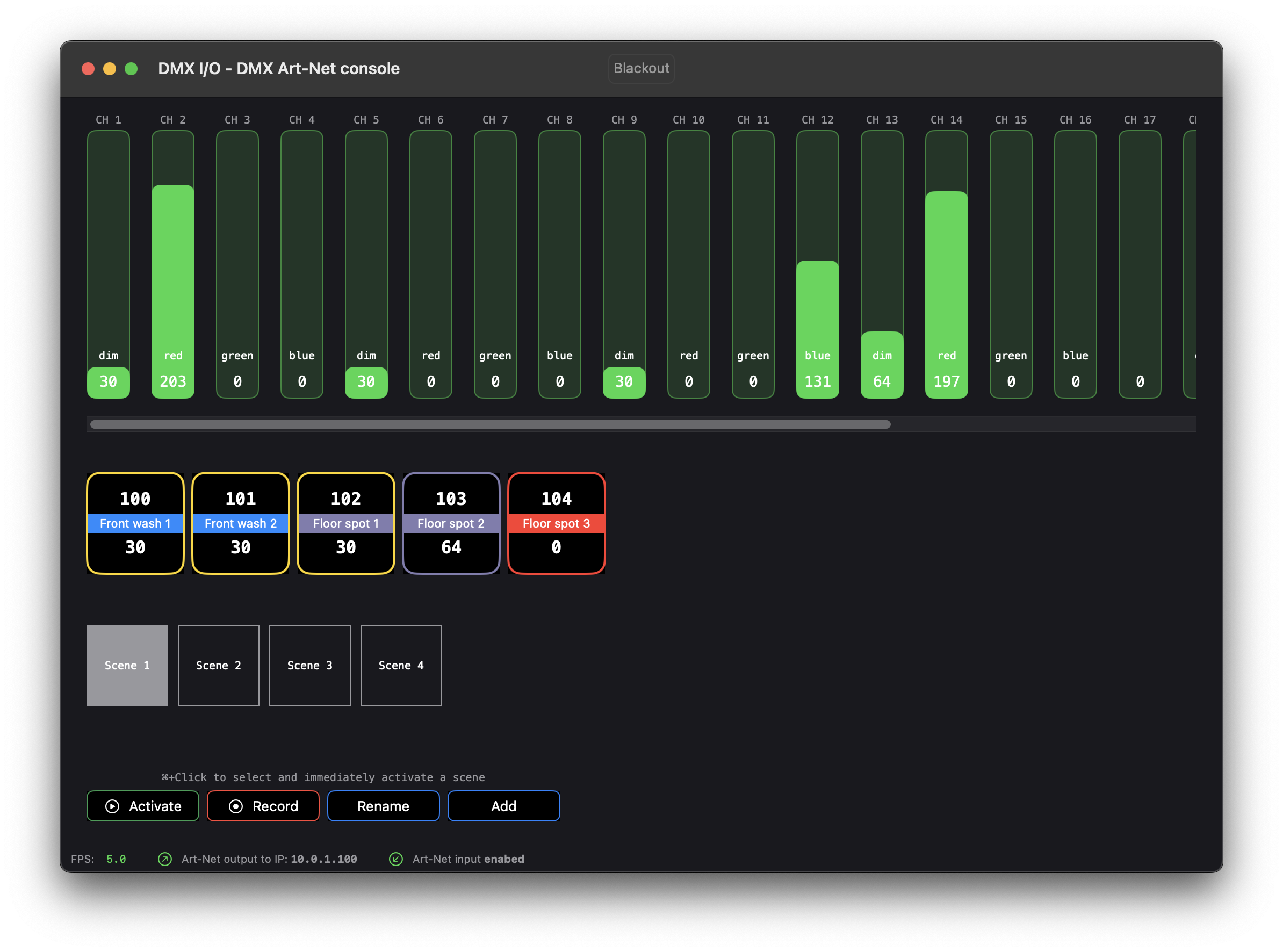
Demo with TouchOSC sending Midi commmands to change pan/tilt parameters:
External control
Support for external control surfaces:
- Open Sound Control (OSC)
- MIDI, including support for MIDI Show Control
Some use cases for external control with OSC and MIDI triggers:
- Trigger scenes from Streamdeck.
- Control fixture parameter values with TouchOSC.
- Control lighting via an external MIDI controller with buttons, faders, etc.
- Activate a scene from a trigger send by QLab or Ontime.
- Activate a DMX I/O scene via triggers from LTC or MIDI timecode, send from Chataigne or QLab. Timecode can be generated for example by TimeCode generator.
- Fully automated lighting control for architectural lighting or installations.
More information
This app is not designed to compete with a full-featured lighting console. It lacks an FX engine, a large fixture database (but you can create your own fixture profile for any fixture you like), and other advanced features. But, it’s ideal if you have small lighting rig, and want have a convenient way to have direct control of your fixtures on macOS.
Check the Full manual for DMX I/O to get an idea what the app can and can’t do.
Currently this software is still in alpha stage and not available for download.
If you want to try/test, contact me for more information and test builds: info@onderweg.eu.